ERFA · Experience exchange
CRM ERFA Session
Dynamics 365 CRM, Copilot and agents: an afternoon of sharing experience.
Hosted by Simon Bolther Ørsted and Anders Andersen · 12 companies joining
Step 1 · Get started
Set up your account.
Chat with the account agent to set up the account you use in the hands-on session at 13:40.
- Start the chat and answer the agent's questions.
- Enter the event code when the agent asks for it.
- Open Copilot Studio and sign in with your new account.
Event code
Your host will share the event code at the session.
The chat is a Microsoft Copilot Studio agent: Microsoft processes what you type in it. Never share personal passwords. Privacy
Chat not loading? Open the account agent in a new tab (opens in a new tab)
Thursday 29 October 2026
Agenda for the day.
What is on now and next. Open an item for the details.
to Lunch & networking
Lunch and time to meet the other participants.
to Welcome and follow-up from the February session
A recap of the key takeaways from February, status on the follow-ups and the purpose of today's session.
Speakers: Simon Bolther Ørsted, Anders Andersen
to Copilot for Sales and AI in Dynamics 365 CRM – what is new
Planned topics
- New capabilities, with demos or screenshots
- Roadmap highlights
- AI capabilities in Dynamics 365 CRM
- Customer scenarios and what they mean for CRM teams
Speaker: Johan Grene
to Hands-on: how to build an agent, step by step
Planned topics
- Prerequisites and environment
- Licences, access and tools to set up
- Building the agent, step by step
Bring your laptop, and set up your account in Step 1 on this page.
Speaker: Artur Bagrancev
- to Break
to Experience round: Exercise
An exercise in groups: a short brief, discussion questions and a share-back with the room.
Speaker: Anders Andersen
to Headless CRM?
Planned topics
- What headless CRM means: the definition and key idea
- Examples and scenarios
- Opportunities and where it adds value
- Trade-offs
- Questions for the group
Speaker: Juliane Maack
to Wrap-up, next host and next date
Key takeaways, and we agree on who hosts the next ERFA and when.
Speakers: Simon Bolther Ørsted, Anders Andersen
Hosts and speakers
The people in front of the room.
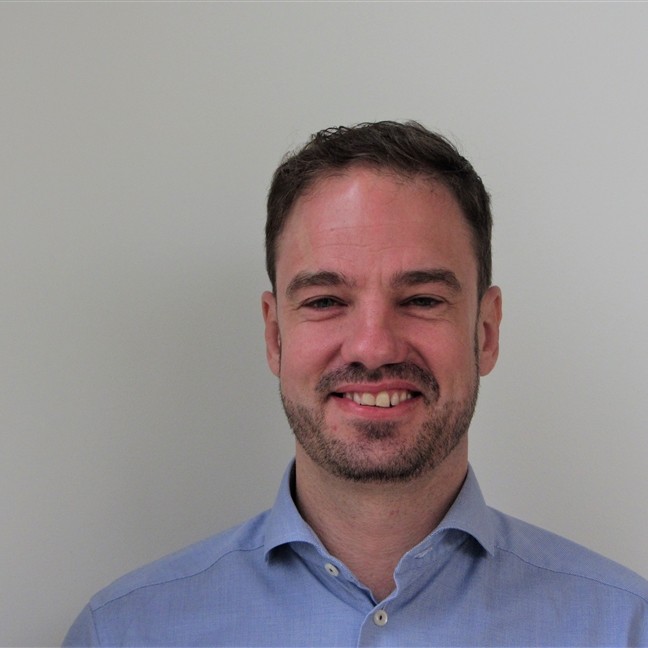
Host
Simon Bolther Ørsted
Senior AI Business Solution Engineer Manager
Microsoft
Host
Anders Andersen
Technical Specialist Intern, AI Business Solutions
Microsoft
Johan Grene
Solution Engineer
Microsoft
Artur Bagrancev
Solution Engineer
Microsoft
Juliane Maack
Solution Engineer
Microsoft
The community
12 companies. One community.
CRM teams from across Greater Copenhagen meet in one room to share what works with Dynamics 365, Copilot and agents.
- Companies
- 12
- Towns
- 11
- Room
- 1
- DemantSmørum
- DSVHedehusene
- FalckCopenhagen SV
- FDMKongens Lyngby
- FLSmidthValby
- GNBallerup
- HempelKongens Lyngby
- ISSSøborg
- Kemp & LauritzenAlbertslund
- RadiometerBrønshøj
- RambøllCopenhagen S
- WS AudiologyLynge
Programme
What is on the programme.
The sessions to learn from and share in.
Copilot for Sales and AI in Dynamics 365 CRM – what is new
Johan Grene
- New capabilities, with demos or screenshots
- Roadmap highlights
- AI capabilities in Dynamics 365 CRM
- Customer scenarios and what they mean for CRM teams
Hands-on: how to build an agent, step by step
Artur Bagrancev
- Prerequisites and environment
- Licences, access and tools to set up
- Building the agent, step by step
Bring your laptop, and set up your account in Step 1 on this page.
Experience round: Exercise
Anders Andersen
An exercise in groups: a short brief, discussion questions and a share-back with the room.
Headless CRM?
Juliane Maack
- What headless CRM means: the definition and key idea
- Examples and scenarios
- Opportunities and where it adds value
- Trade-offs
- Questions for the group
Practical
Good to know.
Venue
Microsoft Denmark
Kanalvej 7, 2800 Kongens Lyngby
Conference room CUST 1.06
What is an ERFA?
ERFA is short for the Danish "erfaringsudveksling": experience exchange. It is a recurring meet-up where people who work with Dynamics 365 CRM, Copilot and agents share what they have learned. Hosting rotates, and the next host and date are agreed at the wrap-up.
When does it start?
At 12:00 with lunch and networking. The programme starts at 12:45 and ends at 16:00.
Where is it?
Microsoft Denmark, Kanalvej 7, 2800 Kongens Lyngby, in conference room CUST 1.06.
How do I check in?
Pick up a visitor pass at the reception in the lobby and wear it during your visit.
How do I get there by public transport?
Lyngby station (S-train) is about 800 m from the venue. The nearest light-rail stop is Lyngby Centrum.
Where can I park?
Guests can use the blue-marked parking spaces in the basement. Register your licence plate at the lobby when you arrive to avoid a parking fee. If the spaces are full, use public parking nearby, for example at Lyngby Storcenter.
What should I bring?
Your laptop, for the hands-on agent-building session. The hosts will share any further preparation for the hands-on session separately.
Can I join online?
The session has a Microsoft Teams meeting you can join from your browser or the Teams app.
Where do I get the event code?
The hosts share it at the session, and it is shown in Step 1 on this page once it is published. You need it when you set up your account with the account agent.